
Golf GPS Speakers vs Screen Devices: Audio and Etiquette
Choose how you want to receive a distance, then check who else will hear it and what must stay powered for the system to work.
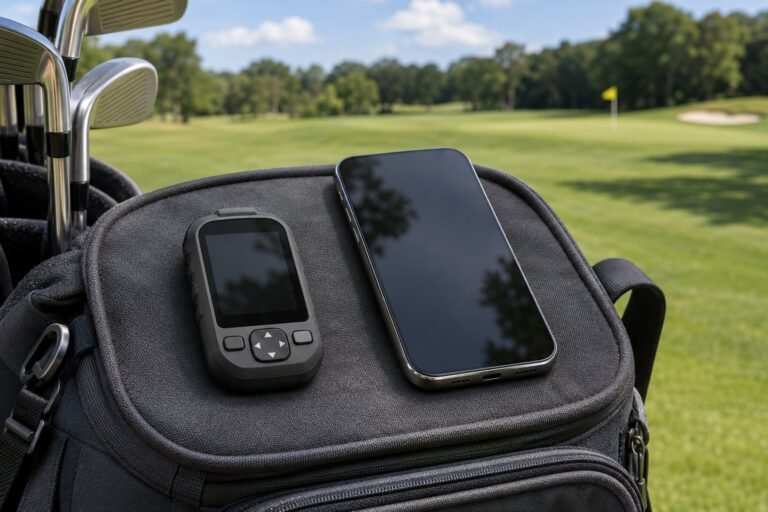
Choose how you want to receive the information, then check the devices that routine requires. Generic AI illustration; not a photograph of a named model.
A golf GPS speaker changes how a yardage reaches you. It also introduces an audible part of the round that other players share. A watch or handheld screen offers a different routine, but its usefulness still depends on the information and controls you can actually use.
This research-led comparison uses named models to explain the differences. The checks and timing example are proposed planning tools, not results from a battery, accuracy or on-course listening test.
This is a research-led guide. How we assess golf equipment explains the evidence behind our recommendations.
This guide contains affiliate links. If you buy through them, Taylor’s Trailblazing Golf may earn a commission at no extra cost to you.
Start with a readable screen when you need private yardages, repeated checks or several details together.
Check course policy and group preferences, then practise a brief request-and-stop routine.
Count every powered component and the hours until the next realistic charging opportunity.
Golf GPS speakers vs screen devices: choose the information routine
Start with the job: do you want to hear one distance, compare several numbers, or inspect a layout? Those are different reasons to look at golf technology. Decide which one interrupts your normal routine before adding another device to the bag.
The categories overlap. Bushnell’s Wingman View combines spoken GPS with an LCD showing front, centre and back distances, hazards and music information. Buying a speaker does not necessarily mean giving up a screen.[1]
A watch can keep the same basic yardage question on your wrist. Garmin’s Approach S12 displays front, middle and back distances and offers a larger-number view.[3]
| Your usual question | Audio can help when… | A screen is useful when… |
|---|---|---|
| How far is the middle? | You can request and understand a brief call-out without disturbing anyone. | You want a quiet glance or need to check the number again. |
| What are the front and back distances? | You can follow the spoken sequence and know which number refers to which point. | You prefer to compare the values together instead of remembering them. |
| What lies around the target? | The exact unit announces the particular information you need. | The selected model displays the relevant layout, hazards or green shape. |
| Who needs to hear it? | Your group has agreed to a shared audible check. | Only you need the answer, or nearby players should not hear it. |
These are selection questions, not measured speed or accuracy rankings. A small screen with crowded figures may be less useful to you than a clear announcement; an announcement that needs repeating may be less convenient than a readable display. Try the actual controls and presentation where the seller permits a demonstration.

Rehearse one distance request from start to finish
Use a short stationary check before the first round. The useful result is not merely that the speaker plays music. You need the golf function to answer the right question from the intended setup.
- Prepare the exact system. Follow its registration, pairing and update instructions. Identify which phone, app, remote and device must be present.
- Confirm the context. Check the course, hole and yards or metres before accepting the first number.
- Request the information. Try the normal button sequence with the device carried or positioned as you intend to use it, while remaining still.
- Identify the result. Can you distinguish front, middle and back without guessing or replaying the message?
- Find the quiet alternative. Practise stopping audio and returning to whatever silent distance source you have chosen.
The Wingman View manual says its remote requires registration and connection through the Bushnell Golf Mobile App, with that app running in the foreground or background on the phone.[2]
That dependency is part of the buying decision. If you want to leave your phone behind, verify that the exact golf function works without it; Bluetooth music pairing alone does not establish that. Equally, do not assume every screen device needs a continuously connected phone.
Record the shortest successful route in plain words, such as “confirm hole, press once, hear centre distance”. If the trial exposes several unwanted announcements or repeated menu changes, change the settings or reconsider the format before buying extra accessories.
For the separate question of a mapped GPS reference versus a laser measurement, see the GPS watch versus laser rangefinder guide. Speaking a number rather than displaying it does not change what that number represents.

Agree an audio routine that leaves room for everyone else
Ask the club about its policy and ask your playing partners before switching audio on. Agreement within your group does not tell you whether players on the next tee or an adjacent green want to hear it. Use the quiet option when that cannot be managed.
Rule 4.3 permits unrelated background audio, but prohibits using audio to remove distractions or assist swing tempo. Consideration for others is required; a Committee can restrict audio devices through a Local Rule.[4]
A practical shared-course agreement can be much simpler than a debate about taste in music:
- Keep spoken distances on request rather than making every available sound part of the round.
- Pause audio while anyone nearby prepares to play.
- Check volume from the position where others will hear it, not only beside the speaker.
- Stop if someone asks; do not make another player explain why silence matters to them.
- Keep a workable silent routine for busy stretches, shared tees and organised play.
Separate music from yardages when discussing preferences. Someone may welcome a requested distance but prefer no music, introductions or novelty messages. An occasional spoken number still deserves the same attention to timing.
For example, imagine a group that agrees to quiet yardage requests but reaches a tee beside another green. Switching to a watch there satisfies the group’s distance need without making the earlier agreement carry more weight than the situation. This is an illustrative routine, not a report from a playing test.
Do not use headphones as an automatic solution to an unwelcome speaker. They create a different listening setup to assess, including whether you can hear other players and calls around you. Silence remains a valid equipment choice.

Plan operating hours for the whole setup
Write down when the equipment will be powered on and when you can next recharge it. Count practice, waiting and the time between rounds if you intend to leave it running. “A round” is too variable to be a useful unit on its own.
Published figures need their mode labels. Bushnell currently lists up to ten hours for the Wingman View. Garmin lists up to thirty hours playing golf for the Approach S12, separately from its watch-only figure.[1][3]
Those specifications are not a same-conditions battery test. The Wingman View manual also says that charging another device from its USB output reduces speaker operating time.[2]
| Part of the setup | What to write down | Decision before leaving home |
|---|---|---|
| Main GPS device or speaker | Planned powered-on hours and the maker’s figure for the mode you will use. | Identify a charging opportunity if your plan exceeds or sits too close to an optimistic maximum. |
| Phone, where required | Whether it must run the golf app, and what other tasks you expect it to handle. | Check the complete phone-and-device routine rather than treating a full speaker battery as sufficient. |
| Remote, where supplied | Its own power instructions and whether the connection works. | Include it in the pre-round check instead of discovering a separate failure at the first tee. |
| Between outings | The actual gap, suitable charging lead and access to power. | Carry the correct lead or choose a setup that suits the interval you really have. |
Here is a planning example, not a battery result: thirty minutes before play, a four-and-a-half-hour round and thirty minutes afterwards total five-and-a-half powered-on hours. Two such outings without charging total eleven hours. That schedule already exceeds a ten-hour headline maximum, before any allowance for changes to the plan.
Use your own timings and leave practical room for delays. After ordinary use, note the starting charge, settings, operating time and remaining indication; do not turn a single observation into a universal promise. Garmin expressly warns that GPS use and extreme cold affect S12 battery life.[3]

Compare the exact controls before choosing a model
The same brand can sell different interaction patterns. The Wingman Mini provides front, centre and back call-outs through its own “B” button. Its listed package contains the speaker, USB-C lead and carabiner; do not assume the Wingman View’s separate remote is included.[5]
For a compact audible option, check the black Bushnell Wingman Mini at Clubhouse Golf. The verified listing is product code RFBUS068. Compare its actual controls and carrying arrangement with the routine you have just planned.[6]
For a wrist-screen option, check the black Garmin Approach S12 at Clubhouse Golf. That listing identifies article 010-02472-10. Check the display, button access and strap fit for yourself rather than treating the listed battery figure as the whole decision.[7]
If a hybrid speaker-and-screen design is what you want, ask whether its display remains convenient from the position where you carry it. A screen facing away on a bag does not become useful merely because it exists. Use only the maker’s intended attachment method and check it does not obstruct trolley or buggy controls.
Before comparing prices, separate the hardware purchase from anything you may pay for elsewhere: optional app features, a music service, mobile data or replacement accessories. Buy the functions you will actually use; an extra sound feature has little value if your normal course routine keeps it switched off.
Back to top ↑Make the decision with one ordinary-round scenario
Write a short acceptance statement using your own round: “I need to check front and back quietly while walking”, or “Our group wants brief spoken yardages from a shared trolley, and we have agreed when to stop them.” This turns a specification list into a practical choice.
- Choose a screen-led routine when silence, repeat viewing or comparing several details is the priority.
- Choose audible requests when they solve a real usability need and the course, group and nearby play allow them.
- Choose a hybrid only if both modes are accessible in the way you carry it.
- Keep existing equipment when it already answers the question without adding unwanted charging, pairing or noise.
Before paying, confirm the exact model, course coverage, phone requirements, included accessories and current return conditions. Then make the pre-round check part of your setup, so working out the device does not become another task while someone is waiting to play.
Back to top ↑Frequently asked questions
Can one speaker’s distance serve everyone in the group?
Treat a shared call-out as information from that particular setup, not automatically from every player’s ball. Before using it, establish where the system takes its position from and whether that position is relevant to your shot. Players in different places may need separate checks.
Should I buy a speaker just because I find a small watch difficult to read?
Audio is one option, but compare it with a larger-number view or a more readable handheld display before deciding. Try the actual presentation and controls. The useful choice is the one you can operate comfortably while also fitting the course and group’s audio expectations.
Sources and checks
Sources consulted on 24 November 2026. Manufacturer and retailer descriptions are attributed claims; illustrations do not show tested products. Recheck current features, compatibility, charges and operating instructions before use or purchase.
Illustrations in this article were created for Taylor’s Trailblazing Golf. Third-party photographs, where used, are credited beside the image or in the source list.